
For product growth
See what your launches and price changes did
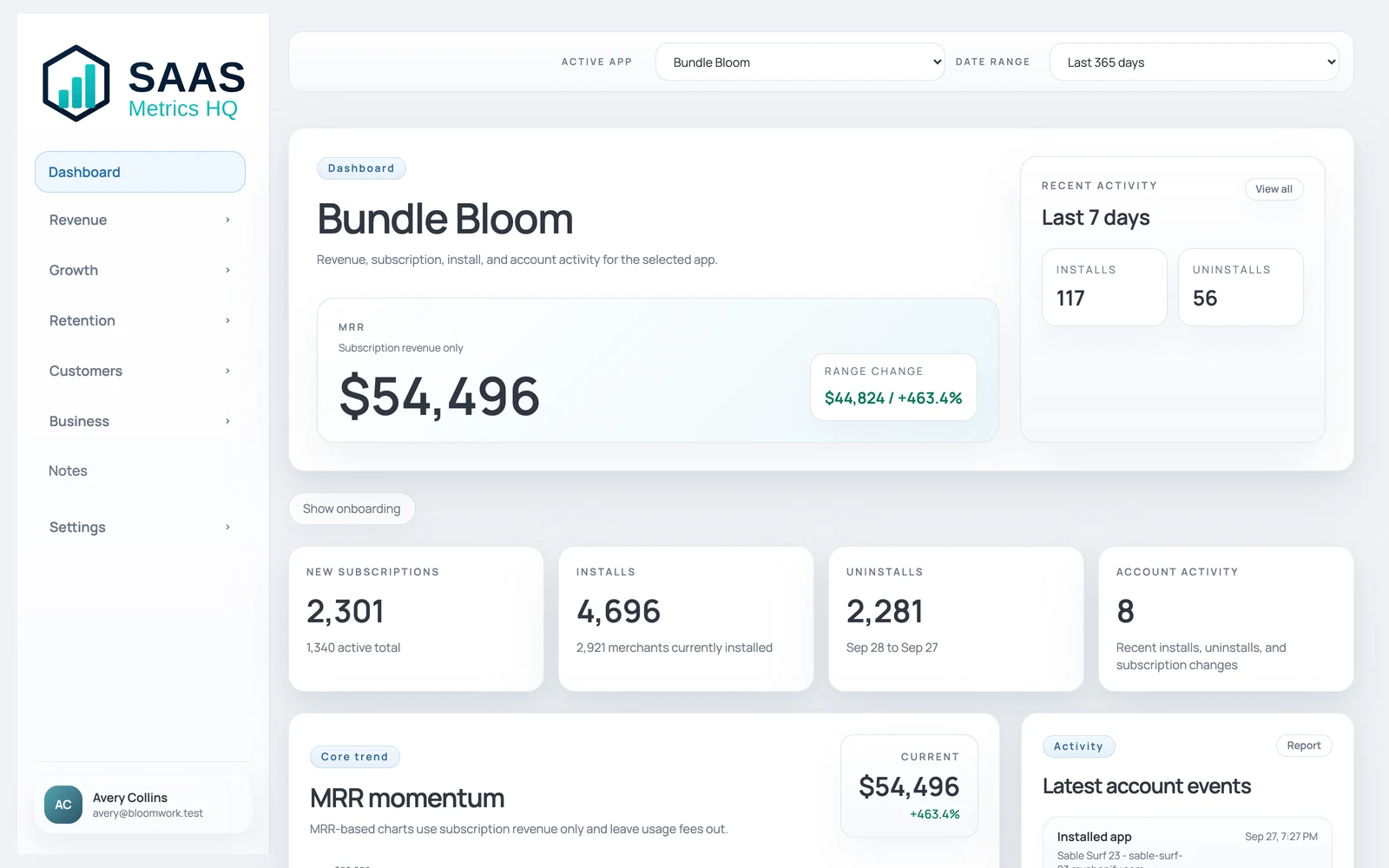
You shipped a feature, changed a plan or fixed onboarding. Add a note for it in the Notes section, and SaaSMetricsHQ shows it in your reports, timelines and calendar beside conversion, retention and MRR, so your team can see what moved and talk about why.
Questions it answers
The questions product teams ask after a change
Did more installs become paying customers?
Install-to-paid conversion report →Do newer cohorts stay longer?
Retention report →Did the price change move MRR?
MRR report →Are uninstalls rising after the release?
Installs vs uninstalls report →How it helps
Changes and outcomes on the same timeline
Notes beside every trend
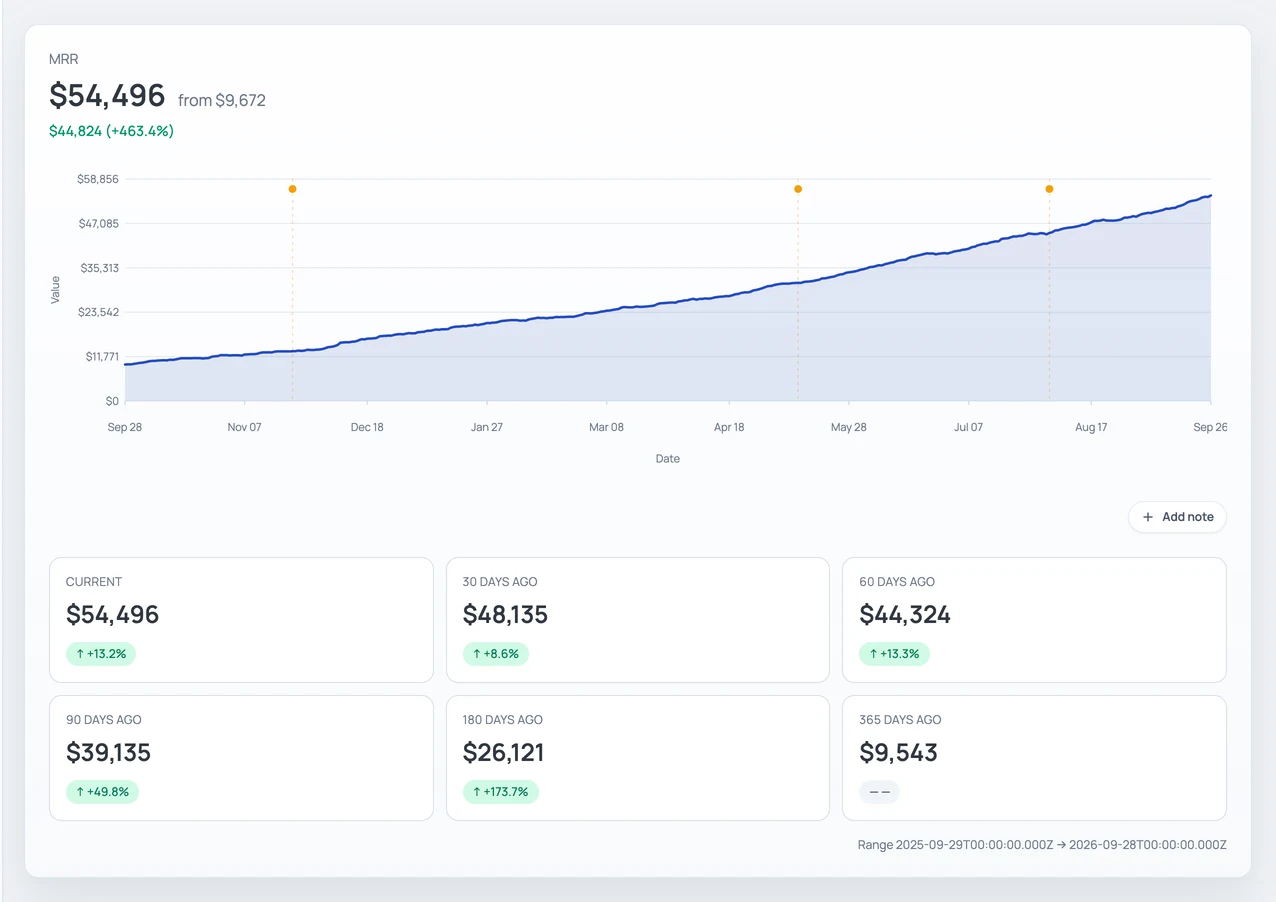
In the Notes section, add a note for a launch, a pricing change, an incident or a campaign, and it shows in your reports, timelines and calendar. Notes help you see what happened at the same time. They do not prove what caused it.
Conversion you can trust
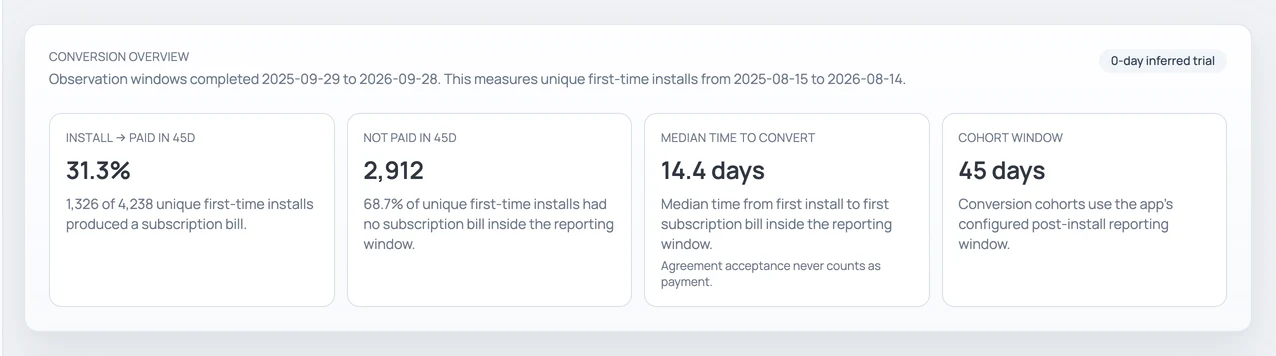
Install-to-paid conversion is measured over a fixed window after install, with the median time to convert.
Retention by cohort
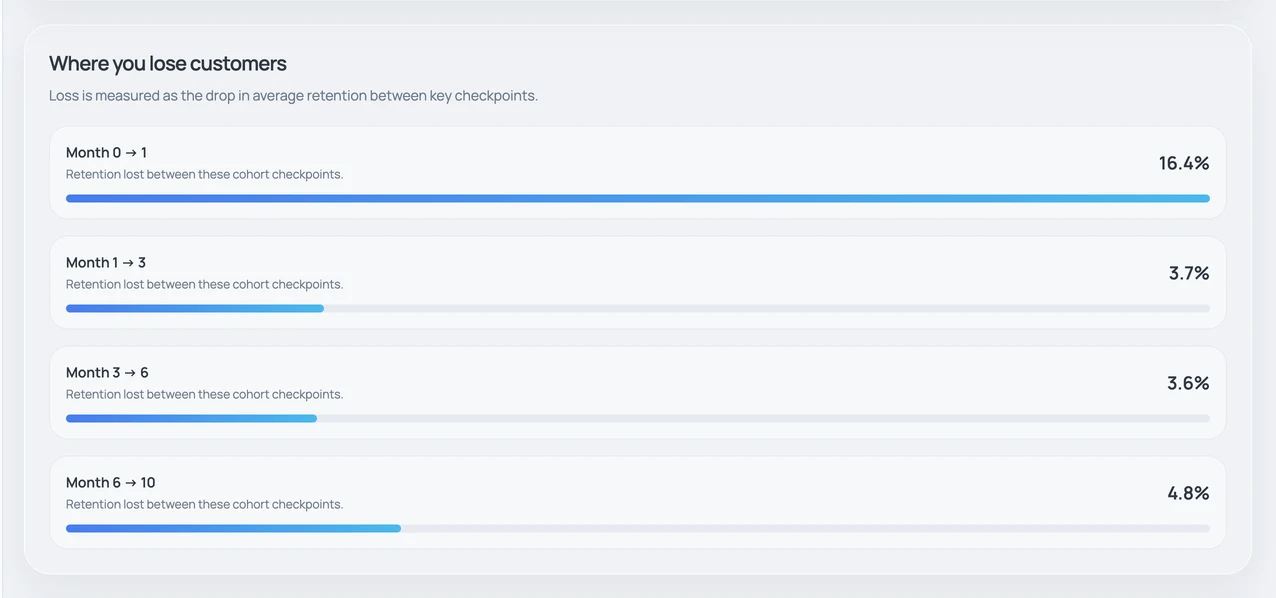
See how each month's installs stay over time, and where in the first months you lose the most.
Questions from product teams
Can SaaSMetricsHQ tell me why a metric changed?
No. It shows what changed and when, and your notes show what else happened at that time. Your team decides why.
Can I add notes for past events?
Yes. Add a note in the Notes section for any date, and it appears in your reports for that period.
Is the data real-time?
No. Data is imported and refreshed in the background, and each report shows whether its data is complete.
Put your releases next to your results
Join the waitlist to be one of the first Shopify app teams to use SaaSMetricsHQ.