
Shopify app analytics
Shopify app analytics for app developers, not stores
Shopify app analytics shows how the apps you sell on the Shopify App Store are performing as a business: recurring revenue, churn, retention and how many installs become paying customers. SaaSMetricsHQ builds these reports from your Shopify Partner data, so every app you run is in one clear dashboard.
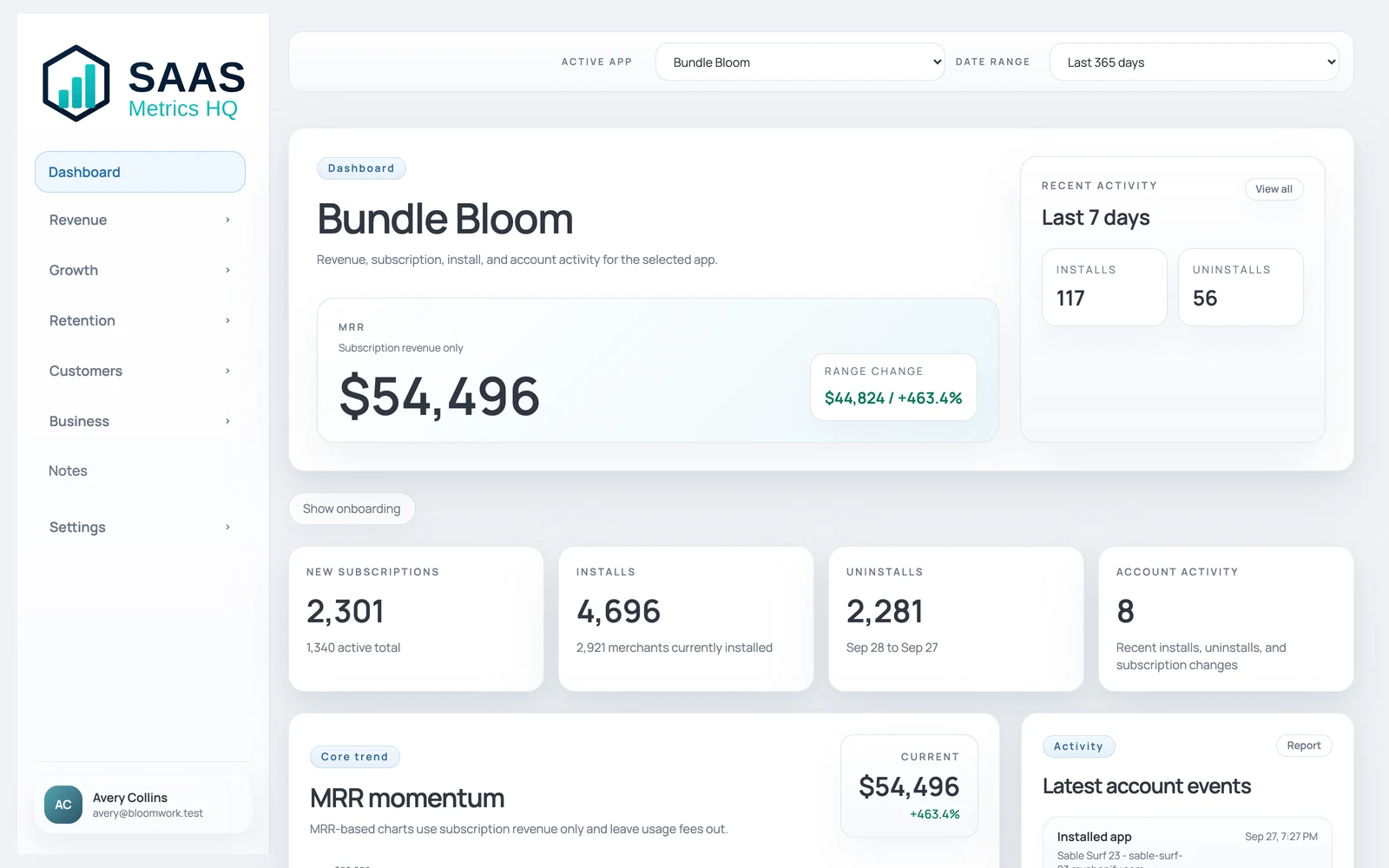
What is Shopify app analytics?
Analytics for the app business, not the merchant's store
Search for "Shopify analytics" and most tools measure a merchant's store: orders, sessions and conversion rate. An app developer needs different numbers. Your customers are the stores that install your app, and your revenue is the subscriptions and usage charges they pay.
Your Shopify Partner data holds those answers, but turning it into a weekly view usually means exports and spreadsheets. Shopify app analytics does that work for you, with the same definitions every time.
Store analytics
Orders, sessions, products and shoppers for one store.
Shopify app analytics
MRR, churn, retention, installs and paying stores for your apps.
- Shopify Partner dataInstalls, charges, payouts
- SaaSMetricsHQClear app analytics
- Business decisionsGrow, keep, fix
From Partner data to business decisions
SaaSMetricsHQ brings your Shopify Partner data out of Shopify and turns it into app analytics you can act on. Every install, uninstall, charge and payout becomes part of a clear report, so you can see which app is growing, where revenue is slipping away and what changed after a launch or a price change. You make decisions about your app business on numbers you can trust, not on last month's spreadsheet.
The metrics
The Shopify app metrics that run the business
These are the numbers app teams check each week. SaaSMetricsHQ has a report for each one, 21 reports in total.
Recurring revenue
What is the app earning each month, and is it growing?
- MRR
- MRR growth rate
- ARR
- Revenue
- Active subscriptions
- Usage charges
Customer value
What is each paying store worth over its life?
- LTV
- ARPU
Install-to-paid conversion
How many installs become paying customers?
- Conversion
Retention
Is the installed base growing, or are uninstalls cancelling out new installs?
- Retention
- Installs vs uninstalls
- Total users
Churn
Are stores leaving, or are they staying but paying less? User churn and subscription churn are reported separately so you can tell the difference.
- User churn
- Subscription churn
Customers and payouts
What changed for one store, and what has Shopify paid out?
- Customer detail
- Shopify plans
- Customer activity
- Payouts
- Shopify fees
How it works
From Shopify Partner data to clear reports
- Step 1
Connect your Partner organisation
Connect your Shopify Partner organisation and choose the apps to analyse.
- Step 2
Import your history
SaaSMetricsHQ imports your historical Partner data in the background. How long it takes depends on your account history and Shopify's API limits.
- Step 3
Read the reports
Every report shows its definition, a date range and whether the data is complete.
- Step 4
Add context
Add notes for launches, pricing changes and incidents beside your trends.
Why SaaSMetricsHQ
Built for Shopify app businesses, and nothing else
Every app in one workspace
Connect and switch between all your Shopify apps, with the same definitions across each one.
Definitions you can check
Every metric shows how it is calculated, so your team agrees on the numbers.
Honest data states
Each report shows whether its data is complete, partial, backfilling, unavailable or in error.
Payouts beside performance
Review Shopify payouts and estimated Shopify fees next to your revenue reports. These are operational estimates, not accounting records.
What your Shopify Partner data can and cannot tell you
- Reports are built from your Shopify Partner data. You can add plan names and trial settings from supported Shopify exports.
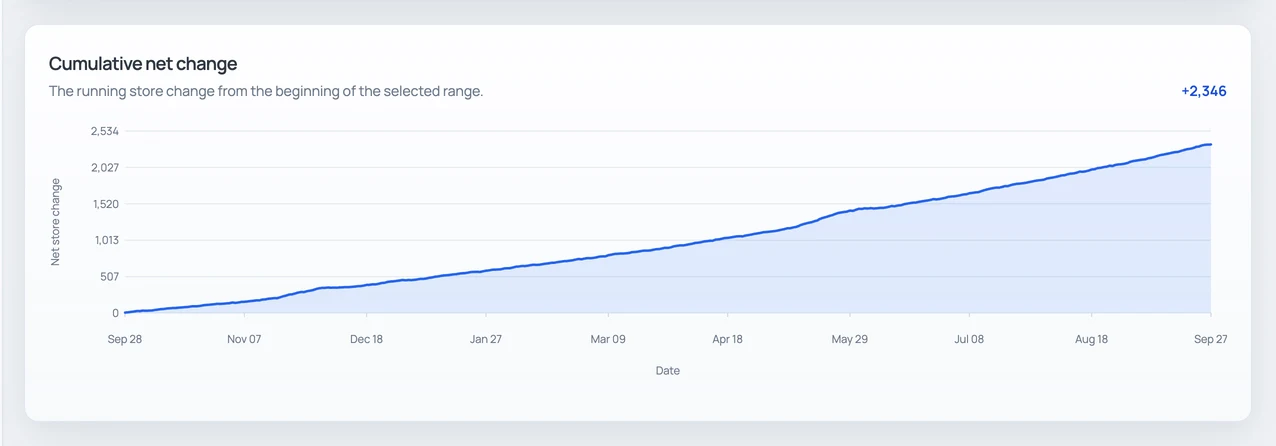
- Data is imported and refreshed in the background, so it is not real-time. Each report shows how complete its data is.
- Payouts and fees are operational estimates. Check important figures against your Shopify, bank and accounting records.
- Your Shopify Partner credentials are encrypted on our servers.
Start with the four core reports
MRR
What is monthly recurring revenue right now?
Retention
How well do cohorts stay over time?
Installs vs uninstalls
Is install growth real, or offset by uninstalls?
Conversion
How many installs become paying customers?
Used Mantle? See how SaaSMetricsHQ replaces its analytics.
Shopify app analytics questions
What is Shopify app analytics?
It is reporting for businesses that build and sell apps on the Shopify App Store. It tracks recurring revenue, churn, retention, installs and conversion for each app, using Shopify Partner data.
How is it different from Shopify store analytics?
Store analytics measures a merchant's own sales and visitors. Shopify app analytics measures an app developer's business: the stores that install the app, what they pay and whether they stay.
What data does SaaSMetricsHQ use?
It uses data from your Shopify Partner organisation, such as installs, uninstalls, subscriptions, charges and payouts. You can add plan names and trial settings from supported Shopify exports.
Can I track more than one app?
Yes. You can connect and switch between multiple Shopify apps in one workspace, and every current plan includes unlimited apps.
Is the data real-time?
No. Data is imported and refreshed in the background, and each report shows whether its data is complete, partial, backfilling, unavailable or in error.
How much does SaaSMetricsHQ cost?
Pricing follows your measured MRR, with plans from US$0 a month. Pricing applies when SaaSMetricsHQ launches. Join the waitlist to hear when you can start.
See every Shopify app you run in one clear dashboard
Join the waitlist to be one of the first Shopify app teams to use SaaSMetricsHQ.